
Check along the top to see whether there are tabs. There should be one that shows the name of your course and has your data. If the data is present, there is nothing further to do.
You may wish to change the behaviour of Notepad, so that it behaves as a new session each time rather than adding tabs. This video tells you how to change the Notepad settings. This is externally hosted, so it's possible that the video will at some point no longer be available. Please let us know if you have an issue viewing it.
https://youtube.com/shorts/-G8jHXdKT9s?is=3CkyoU4alLrz2isK
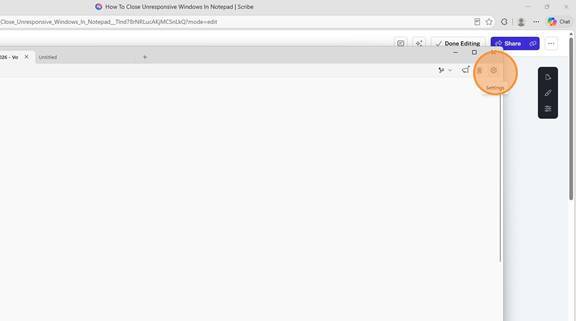
- Click on the gear icon to open Settings.
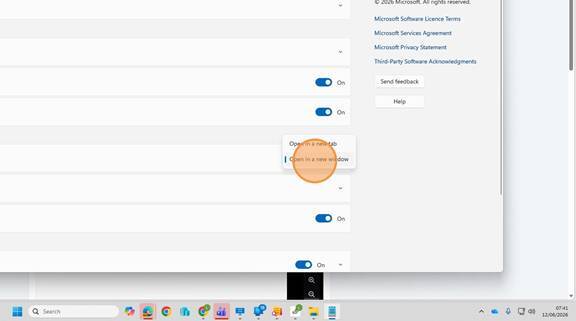
- Scroll down to the Opening files section. If it is set to Open in a new tab, use the dropdown to change it to Open in a new window.
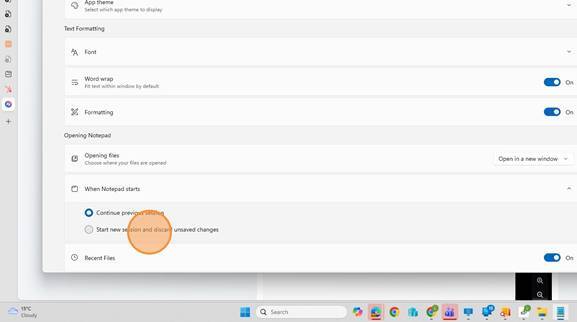
- Next check the When Notepad starts setting. Select "Start new session and discard unsaved changes"
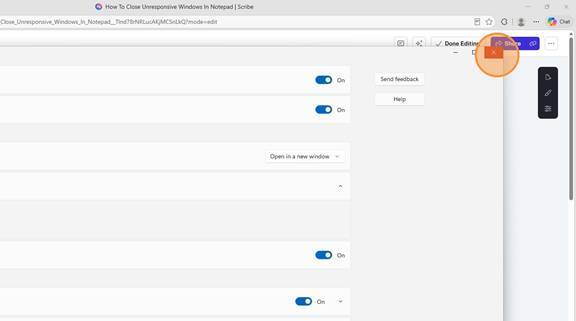
- Click "Close" to exit Settings
Notes: This issue was reported by as user as the software is not generating a REC file. Upon checking further we found that the file was there in the folder as expected but because the user was seeing a blank page when he opened Notepad, he thought that there was no file. This note is here to assist the AI customer agent to respond to emails and chat where the user reports a lack of REC file.