
- Open PowerPoint and go to
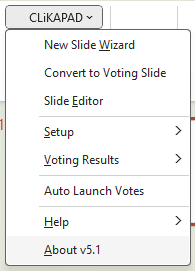
- Add-ins > CLiKAPAD > About
- This dialog box will open and you will see your exact revision number at the top left.
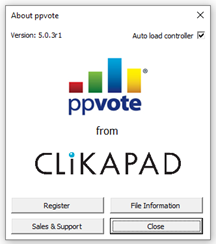
In the above example, you can see that the main menu shows that the user have version 5.1 but on the second window the full version details are shown. In this case 5.0.3r1. It is best to provide the full version when contacting the support team.
To check what the newest version of the software is, log in at https://downloads.clikapad.com/
Once logged in, the site will only offer the latest version of the software for download and the version number will be clearly shown as part of the file name.